
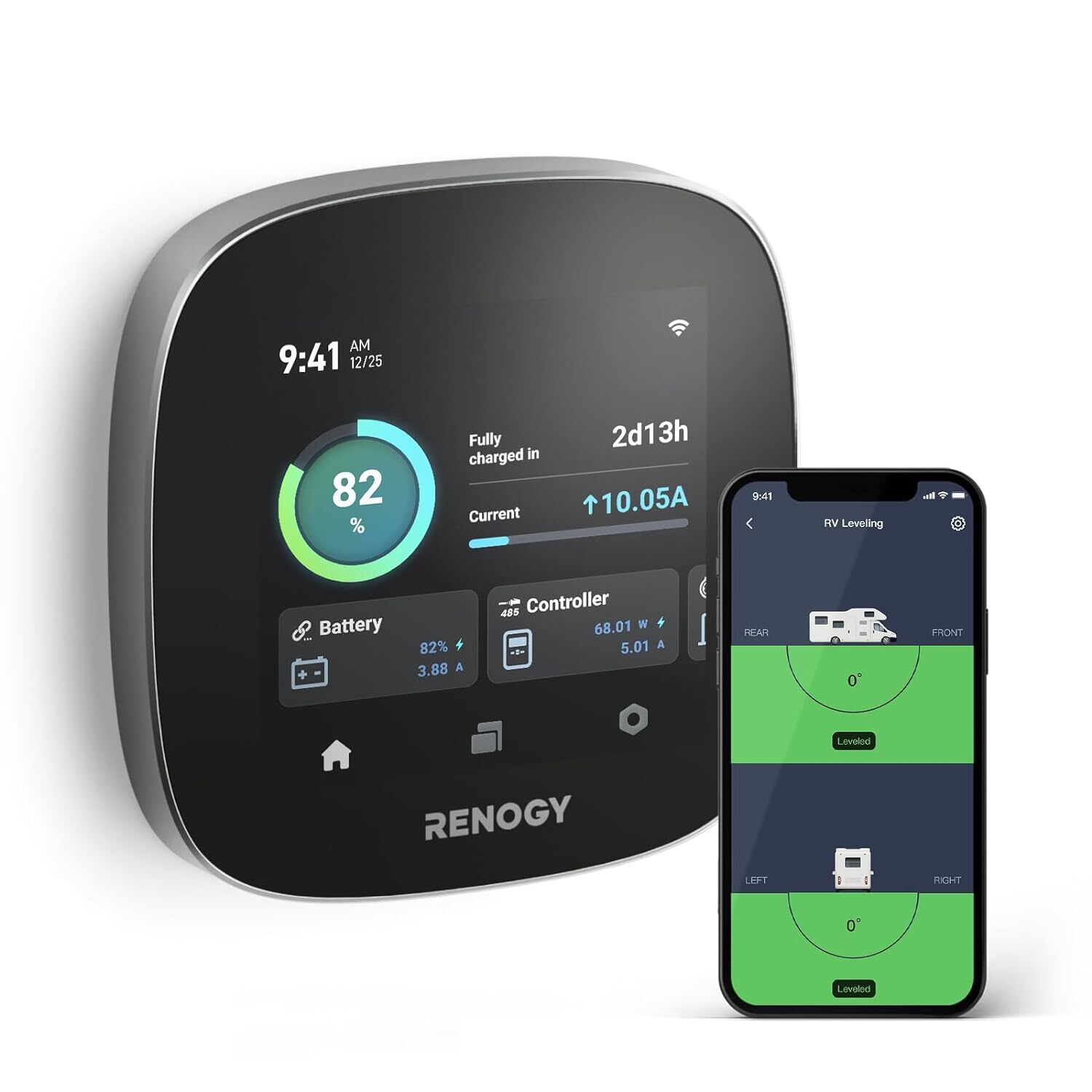


Renogy ONE Core All-in-one Off-Grid Energy Monitoring Panel for Van, Cabin, Boat
Make it a smart homeONE Core also serves as a smart home hub, allowing you to connect your smart home appliances like door entry alert or climate sensors, enjoy added convenience and security of home automation.Effortless installationStep 1Complete a hole using a 55mm diameter punch and get all components of the device stand.Step 2With an embedded horizontal bubble, it's easy to achieve the horizontality of the device and avoid repeated leveling.Step 3Rotate, click clack, it's done.Installation on TableStep 1Pull out the holder layer of the box.Step 2Raise up the support layer.Step 3Push back the holder layer and place One Core on it.Renogy ONE M1 vs Renogy ONE CoreELECTRICAL DATA Operating Voltage8-60 VDC (5 VDC for USB Type-C)Power Consumption at 12VOperating, WiFi On, 100% illumination: 3.2 WOperating, WiFi On, 50% illumination: 2.4 WOperating, WiFi On, 0% illumination: 1.9 WOff, logger still active: 1.5 WCommunicationWi-Fi (IEEE 802.11b/g/n 2.4 GHz)Bluetooth LE and Bluetooth MeshZigbee 3.0 (IEEE 802.15.4)RS-485Touch Screen4 inches (480 x 480p)Leveling Range and Accuracy±89°, 0.1°GENERAL DATAModelRSHGWSN-W02W-G1Operating Temperature-4℉ to 158℉ (-20℃ to 70℃)Operating Humidity0% to 95% RHOperating AltitudeLess than 5000m above sea levelInstallationFlush mount or place on a tableDimensions4.17 x 4.17 x 1.05 in (106 x 106 x 26.6 mm)Weight0.28 lb (128g)CertificationCE, FCC, RoHS, TSCA, BQB, IC-IDWarranty2 years
Specifications
| Return Shipping Will Be Paid By | Buyer |
| All Returns Accepted | Returns Accepted |
| Item Must Be Returned Within | 30 Days |
| System Configuration | Off-Grid |
| Power Source | Solar |
| MPN | RSHGWSN-W02W-US |
| Features | LCD Display |
| Color | Black |
| Brand | Renogy |
| Type | Energy Monitor |
| Model | Renogy ONE Core |
Make it a smart homeONE Core also serves as a smart home hub, allowing you to connect your smart home appliances like door entry alert or climate sensors, enjoy added convenience and security of home automation.Effortless installationStep 1Complete a hole using a 55mm diameter punch and get all components of the device stand.Step 2With an embedded horizontal bubble, it's easy to achieve the horizontality of the device and avoid repeated leveling.Step 3Rotate, click clack, it's done.Installation on TableStep 1Pull out the holder layer of the box.Step 2Raise up the support layer.Step 3Push back the holder layer and place One Core on it.Renogy ONE M1 vs Renogy ONE CoreELECTRICAL DATA Operating Voltage8-60 VDC (5 VDC for USB Type-C)Power Consumption at 12VOperating, WiFi On, 100% illumination: 3.2 WOperating, WiFi On, 50% illumination: 2.4 WOperating, WiFi On, 0% illumination: 1.9 WOff, logger still active: 1.5 WCommunicationWi-Fi (IEEE 802.11b/g/n 2.4 GHz)Bluetooth LE and Bluetooth MeshZigbee 3.0 (IEEE 802.15.4)RS-485Touch Screen4 inches (480 x 480p)Leveling Range and Accuracy±89°, 0.1°GENERAL DATAModelRSHGWSN-W02W-G1Operating Temperature-4℉ to 158℉ (-20℃ to 70℃)Operating Humidity0% to 95% RHOperating AltitudeLess than 5000m above sea levelInstallationFlush mount or place on a tableDimensions4.17 x 4.17 x 1.05 in (106 x 106 x 26.6 mm)Weight0.28 lb (128g)CertificationCE, FCC, RoHS, TSCA, BQB, IC-IDWarranty2 years
Related Items


